RUB docs
Song JSON
Full song JSON documents for AI tools — dialog, clipboard shortcuts, and metadata.
RUB’s native song format is a fixed-schema JSON document (format: "rub"). The UI exposes the whole document for copy/paste workflows with AI tools.
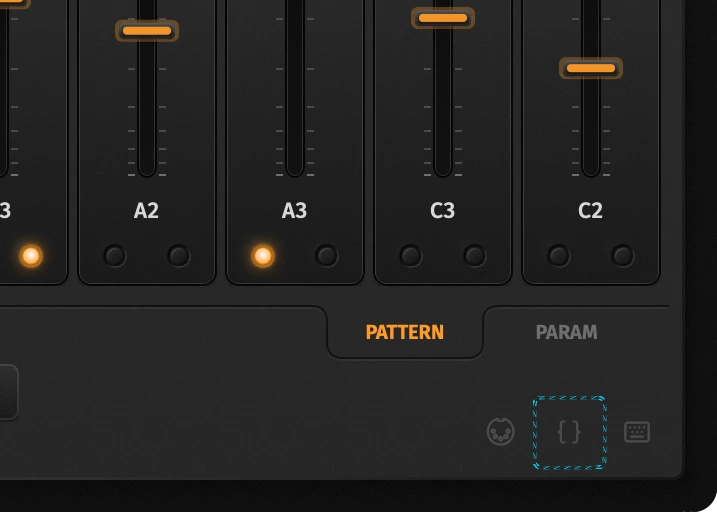
Open the dialog
Click the braces icon left of the shortcuts help (footer). The overlay shows live JSON while you edit the synth; editing the text marks it dirty until you Apply.
Clipboard shortcuts (no dialog)
| Shortcut | Action |
|---|---|
| Cmd/Ctrl+Shift+C | Copy current song JSON to the system clipboard |
| Cmd/Ctrl+Shift+V | Validate clipboard JSON and apply it |
Invalid paste shows an error dialog. Pattern copy/paste remains Cmd/Ctrl+C/X/V (no Shift).
Document shape
Top-level keys include format, version, name, bpm, mode, chain, patch, patterns, optional custom waves, and lanes (Param Seq).
| Key | Meaning |
|---|---|
osc1_custom / osc2_custom | Optional 256-float arrays (−1…+1), one cycle per osc. Omitted when the table is the default sine. See Oscillators. |
Optional metadata (written on export / snapshot):
| Key | Meaning |
|---|---|
app | "RUB" |
app_version | Build that wrote the document |
modified_at | ISO-8601 UTC timestamp |
selected_pattern | UI pattern index hint (0…15) |
Older files without metadata still load; unknown patch keys are ignored for forward compatibility.
AI workflow
- Copy JSON (shortcut or dialog Copy).
- Paste into your AI tool; ask for edits (notes, patch, lanes).
- Put the revised document on the clipboard and Cmd/Ctrl+Shift+V, or paste into the dialog and Apply.
Keep format: "rub" and a supported version. Older files with format: "rdsong" still load and are rewritten to "rub" when scanned in User/Imported. Prefer changing id_str values from the Parameters table rather than inventing keys.